![mySidewalk_Logo_2_Color-2.png]](https://help.mysidewalk.com/hs-fs/hubfs/mySidewalk_Logo_2_Color-2.png?height=40&name=mySidewalk_Logo_2_Color-2.png)
Step 1: Activate Build Mode
Open Sidekick from the home screen or the top-left corner. You'll see the familiar prompt bar where you can ask questions or think through initiatives.
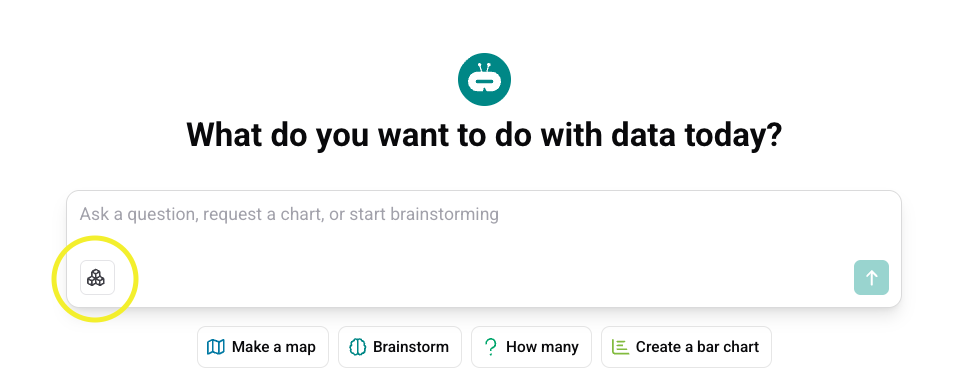
To create a deliverable, click the Build Mode button in the bottom-left corner of the prompt bar. This shifts Sidekick from answering questions to helping you create a complete, structured report.
Not seeing Build Mode in your account?
It's not included in every subscription—but you can try it free.
Start a trial →
Step 2: Choose a Template (Optional)
Templates give you a structured starting point for common deliverables—grant proposals, community assessments, housing reports. Each one is designed around a specific type of output.
Click the info icon next to any template to see use cases, what gets created, and how to personalize it with your own documents. Pick the template that matches your goal.
Step 3: Write Your Prompt
Every prompt needs two ingredients: task and geography.
The more context you add, the better your output.
A simple prompt:
Create a community needs assessment for Kansas City, Missouri.
A stronger prompt:
Create a clear, data-driven community needs assessment for Kansas City, Missouri city limits. Highlight current conditions, disparities, and geographic concentrations of need—showing who is most impacted and what the data suggests should be explored next.
Hit send.
Step 4: Answer Sidekick's Questions
Sidekick will ask a few follow-up questions to shape your deliverable.
These aren't generic—they help tailor the tone, content, and focus. Be specific. Want to prioritize economic stability? Say so. Interested in benchmarking against a peer city? Add it here. Have documents to upload? This is the moment. (Check out the Uploading Documents article for more on that.)
Submit your answers and let Sidekick go to work.
Step 5: Watch the Build
Sidekick thinks out loud. You'll see a progress view showing each step—data searches, reasoning, conclusions.
Click into any step to see the actual data being pulled. One thing to know: Sidekick only pulls from the mySidewalk verified data library and any documents you upload. No random sources. No Reddit threads. It's data you can defend.
Step 6: Preview Your Draft
When the build finishes, a preview opens automatically. You'll see sections, data visualizations, narrative text—everything structured and sourced.
This is your strong first draft—not the final product, but a foundation that saves you hours. If something's off, you can refine it right in the chat. When you're ready, click Open Report in the upper-right corner of the preview.