![mySidewalk_Logo_2_Color-2.png]](https://help.mysidewalk.com/hs-fs/hubfs/mySidewalk_Logo_2_Color-2.png?height=40&name=mySidewalk_Logo_2_Color-2.png)
Sidekick shares its thought process in expandable steps that show you how it thinks through a particular question as well as the topics it searches. It also cites data sources in its responses and links to them in visualizations.
Even though Sidekick exclusively gets data from mySidewalk's data library, depending on the wording of the query or other factors, it may not always pull the best-fit data or the data you specified in your request. For this reason, it is always important to review how Sidekick arrived at its responses.
Why review Sidekick's process
- Accuracy Check
- Reviewing Sidekick's methodology helps confirm the correctness of its process and the source of the data it used. You can always further validate the results by opening the same data in a Seek workspace.
- Credibility
- Transparency in Sidekick's process enhances trust in the results provided.
- Collaboration
- When reviewing Sidekick's work, you may detect errors or opportunities for it to have performed better searches and selected better data. You can use this information to refine your prompt or ask follow-up questions.
How to view thinking steps in Sidekick
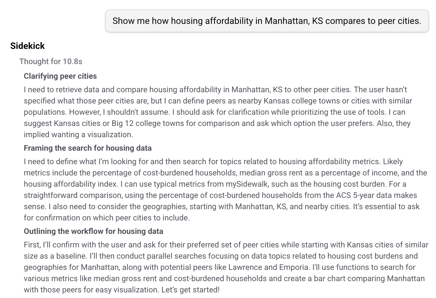
After submitting a query to Sidekick, it will start to think about how to answer it. Its thoughts are displayed as thinking traces, which stream in real time. After Sidekick starts to respond to your query, the thinking traces disappear but can be accessed again by clicking on the trace.
A snapshot of a thinking step
How to review data searches and returns
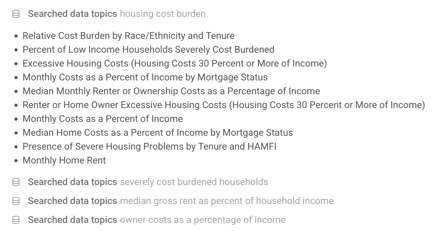
Sidekick will show the search terms it used to find the most relevant data for your query. You can click on an individual search step to view a list of the top returns. Sidekick won't always use this data in its responses, but it can be helpful to review what was returned as additional context for its reply, to request that it pull data it didn't use, or to redirect its search in case it missed the mark.
A snapshot of data search steps
How to review data sources
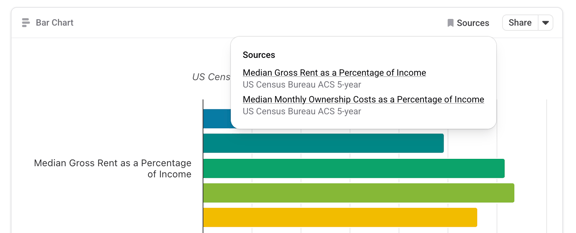
Visualizations generated by Sidekick will always include source information, which can be accessed via the Source button in the top-right. Click on a source to access the detailed attribution page, including a link to the original source.